


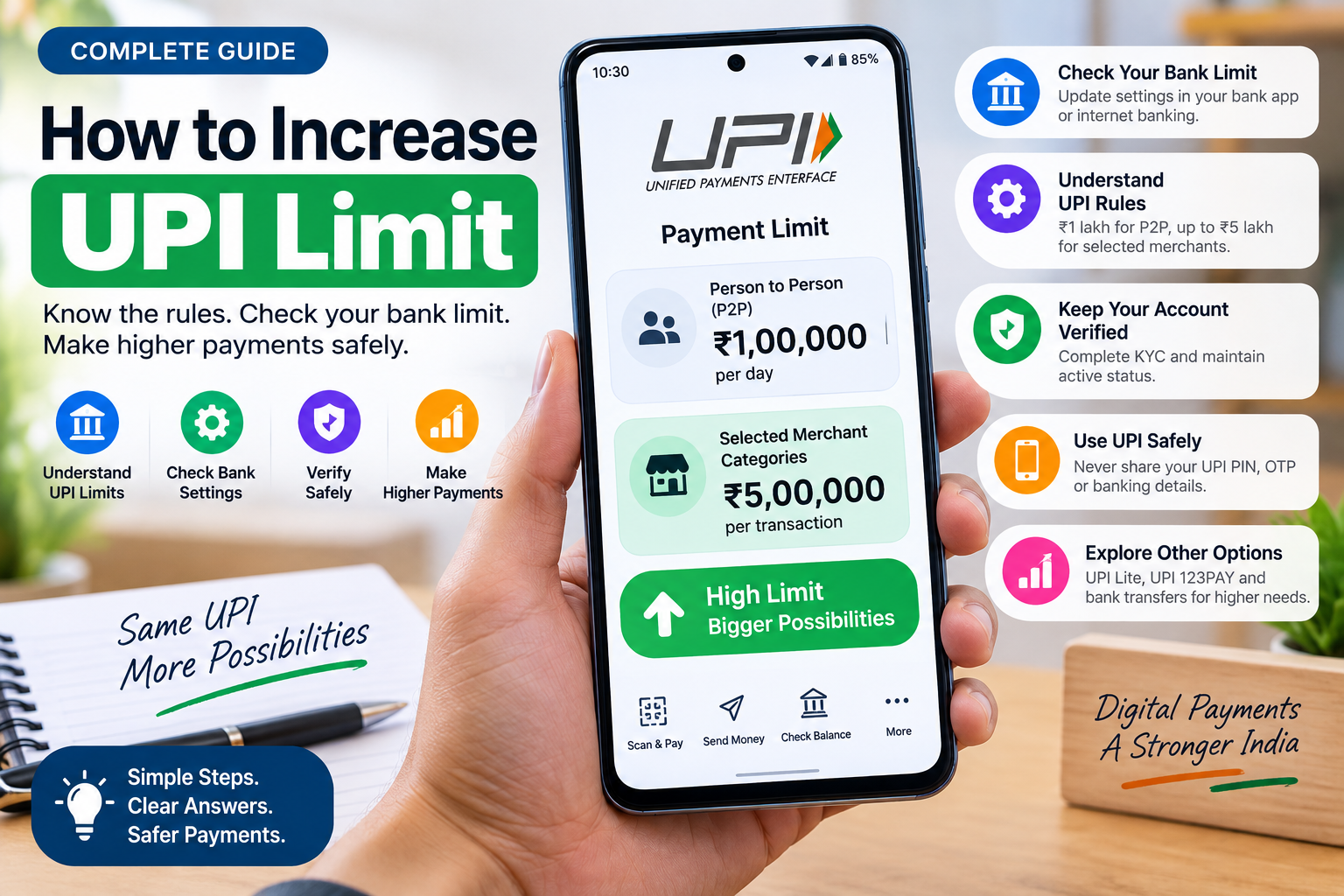
If you want to know how to increase UPI limit, the first thing to understand is that there is no single button in PhonePe, Google Pay, Paytm, or another UPI app that can override the maximum limit set for your bank account and transaction type.
For ordinary person-to-person (P2P) transfers, the UPI limit remains ₹1 lakh per day. However, higher limits now apply to certain verified person-to-merchant transactions. In selected categories such as insurance, capital markets, travel, collections, and Government e-Marketplace transactions, eligible payments can go up to ₹5 lakh per transaction, with higher daily aggregate limits in some categories. Banks can still impose their own internal limits below the permitted ceiling. The Government’s latest guidance on higher UPI transaction limits explains these category-specific limits.
So the practical answer is:
You may be able to increase a lower bank-set UPI limit up to the amount your bank and transaction category permit, but you cannot manually override the overall UPI ceiling.
Table of Contents
First Check Which Limit You Are Actually Hitting
Before trying to increase anything, identify the restriction.
A UPI payment may fail because of:
- Your bank’s daily UPI limit
- The maximum allowed per transaction
- The transaction category
- A temporary risk restriction
- A newly activated UPI account
- A recent UPI PIN or device change
- The recipient’s or merchant’s payment limit
- A UPI app or bank security restriction
This distinction matters.
For example, if your bank allows only ₹25,000 per transaction even though the UPI framework permits more for that transaction type, contacting your bank may help.
But if you are trying to send more than the permitted P2P ceiling to another individual, changing from PhonePe to Google Pay normally does not turn that same bank account into a higher-limit account.
How to Increase Your UPI Limit
1. Check Your Current Bank Limit
Start with your bank rather than the UPI app.
Open your bank’s official mobile banking application or internet banking service and look for sections such as:
Payments → UPI → Transaction Limits
or:
Settings → Fund Transfer Limits
The exact menu depends on your bank.
Some banks let customers choose a personal transaction limit below the bank’s maximum. If you previously reduced your limit—for example, from ₹1 lakh to ₹25,000—you may be able to raise it again within the amount permitted by the bank.
If there is no setting, contact the bank through its official customer-care channel or branch.
Ask specifically:
“What is my current UPI per-transaction and daily limit, and can it be increased within your permitted UPI limit?”
That is more useful than asking PhonePe or Google Pay to increase a limit controlled by your bank.
2. Understand the Difference Between Bank Limits and UPI Limits
Think of UPI limits as having layers.
Your usable limit is effectively constrained by the lowest applicable limit.
For example:
UPI framework maximum → bank limit → account restriction → transaction category
If the broader UPI system allows ₹1 lakh but your bank permits only ₹50,000 for your account, your practical limit is ₹50,000.
Increasing the bank setting to ₹1 lakh can therefore increase your usable limit.
But if your bank already permits the full applicable ceiling, there may be nothing further for you to increase manually.
3. Check Whether Your Payment Qualifies for a Higher Merchant Limit
This is where many articles become misleading.
A ₹5 lakh UPI limit does not mean everyone can suddenly send ₹5 lakh to another person’s UPI ID.
Higher limits generally apply to specified verified merchant categories.
Government information issued after the recent UPI revisions states that selected high-value merchant categories can support transactions of up to ₹5 lakh, while ordinary P2P transfers remain capped at ₹1 lakh per day.
Depending on the permitted category, higher limits may apply to transactions involving areas such as:
- Insurance
- Capital markets
- Certain collections
- Travel
- Government e-Marketplace
- Healthcare
- Education
- Tax payments
- Other specifically approved high-value merchant categories
The payment system identifies the merchant category.
You cannot make an ordinary transfer qualify for a ₹5 lakh merchant limit simply by changing its description.
4. Complete Any Pending Bank Verification
If your bank account is operating under restrictions because required account verification is incomplete, contact the bank.
Completing KYC or correcting account information can remove restrictions imposed specifically on your banking relationship.
However, completing KYC does not mean the regulatory UPI maximum automatically disappears.
It only ensures that an incomplete account-verification issue is not the reason your bank is restricting transactions.
Avoid websites or people claiming they can “unlock unlimited UPI” after you submit:
- OTPs
- UPI PINs
- Debit-card PINs
- CVV numbers
- Remote-access permissions
No legitimate limit increase requires you to give another person your UPI PIN.
5. Do Not Expect Multiple UPI Apps to Multiply One Bank Account’s Limit
Suppose you link the same bank account to:
- PhonePe
- Google Pay
- BHIM
- Paytm
That does not necessarily give you four independent UPI limits.
The underlying transaction still goes through the linked bank account.
Changing apps can sometimes solve an app-specific technical problem, but it does not override the bank’s risk controls or the UPI limit applicable to that bank account.
If you genuinely hold another bank account, that account may have its own limits. That is different from increasing the limit of the original account.
What Is the UPI Limit in 2026?
The limit depends on what you are paying for.
A useful simplified view is:
| Transaction type | Typical maximum framework |
|---|---|
| Ordinary P2P transfer | ₹1 lakh per day |
| Normal UPI payment | Depends on bank and transaction category |
| Selected high-value verified merchant payment | Up to ₹5 lakh per transaction |
| Certain selected merchant categories | Aggregate daily limits can be higher |
| UPI Lite | Lower-value transactions |
| UPI 123PAY | Separate limits apply |
Recent government reporting confirms that ₹5 lakh per-transaction ceilings apply to selected UPI use cases rather than every ordinary transfer.
Your bank may still set a lower amount.
Can You Increase the PhonePe UPI Limit?
PhonePe uses UPI infrastructure connected to your bank.
Therefore, if your PhonePe payment says you have exceeded your bank’s limit, changing a PhonePe setting may not solve the problem.
Check:
- Your linked bank account.
- Your bank’s own UPI limit.
- Whether the payment is P2P or merchant.
- Whether a temporary account restriction applies.
- Whether the bank allows you to change the limit.
If your bank controls the restriction, the bank is the correct place to request a change.
How to Check VPA in PhonePe
A VPA, or Virtual Payment Address, is your UPI ID.
A typical UPI ID looks something like:
name@bank
or:
mobilenumber@upi
In PhonePe, the menu wording may change between app versions, but you can generally find your UPI IDs by:
- Opening PhonePe.
- Tapping your profile picture.
- Opening UPI Settings, Bank Accounts, or UPI IDs.
- Selecting your linked bank account if necessary.
- Viewing the UPI IDs attached to the account.
You may have more than one UPI ID.
Is It OK to Share Your UPI ID?
Generally, sharing your UPI ID with someone who needs to send you money is much safer than sharing your bank account credentials.
A Virtual Payment Address is designed to act as an alias for your bank account so the payer does not need your account number and other banking details. Government information describing how UPI uses a Virtual Payment Address explains that the VPA hides underlying bank-account information during ordinary UPI use.
However, never share:
- Your UPI PIN
- OTP
- Debit-card PIN
- CVV
- Internet-banking password
Remember another important rule:
You do not need to enter your UPI PIN to receive money.
Entering your UPI PIN normally authorises money to leave your account.
How to Verify a UPI ID Before Paying
The safest habit is to confirm the recipient name displayed by your UPI app before entering your PIN.
When you enter a UPI ID or scan a QR code, the application normally resolves it and shows the registered recipient or merchant name.
Check that name carefully.
For payments to securities-market intermediaries, SEBI also provides an official UPI ID verification facility that lets users verify eligible registered intermediary payment details.
Do not interpret SEBI’s tool as a universal verification database for every personal UPI ID. Its purpose is specifically related to registered securities-market intermediaries.
For ordinary payments, confirm the recipient inside your UPI application and send a small test amount first if you are uncertain.
How to Do an Offline UPI Payment
UPI is no longer limited to situations where both users have normal mobile-data connectivity.
Government programmes include UPI 123PAY for feature-phone and limited-connectivity users and UPI Lite X for offline payments on compatible devices.
The Government’s overview of UPI 123PAY and UPI Lite X for low-connectivity and offline payments explains that 123PAY can use methods such as IVR, feature-phone functionality, missed calls, and proximity-based payment technology, while UPI Lite X is designed for offline payment situations.
If your normal UPI application is failing because your Wi-Fi connection is unstable, our Wi-Fi troubleshooting guide can help you determine whether the problem is actually connectivity rather than your UPI limit.
Offline UPI availability depends on your device, bank, app, and supported payment method.
How to Track a UPI Transaction ID
After making a UPI payment:
- Open your UPI application.
- Go to History, Transactions, or Payments.
- Tap the transaction.
- Open transaction details.
- Look for the UPI transaction ID, UTR, RRN, or bank reference number.
Save that number if the payment is pending or disputed.
It helps your bank and payment provider identify the specific transaction.
There is no single public website where every ordinary UPI transaction ID can be entered to reveal complete payment information. Track the transaction through the app or bank that processed it.
How to Check Payment Status by Transaction ID
Open the originating UPI application and locate the transaction in your payment history.
Its status should normally appear as something similar to:
- Successful
- Pending
- Processing
- Failed
- Reversed
- Refunded
If a payment remains pending, do not immediately send the same amount again unless you have confirmed the first transaction failed.
A poor connection can sometimes delay the status displayed by an app. If UPI pages and other online services are loading unusually slowly, you can use our guide on diagnosing a slow internet connection before assuming you have reached your UPI limit.
For a transaction that remains unresolved, keep the transaction ID and contact your bank or UPI application’s official support channel.
What If the App Says “UPI Limit Exceeded”?
Use this checklist:
Step 1: Check how much you have already transferred today.
Step 2: Check your bank’s per-transaction and daily limits.
Step 3: Determine whether it is a P2P or verified merchant payment.
Step 4: Check whether your bank lets you raise a personalised lower limit.
Step 5: Contact the bank if your account is capped below its normal permitted level.
Step 6: If you are already at the applicable UPI maximum, use an appropriate banking transfer method instead of repeatedly retrying the payment.
For higher-value bank transfers, options such as NEFT or RTGS may be more appropriate depending on the payment.
Can Someone Increase Your UPI Limit for a Fee?
Be extremely cautious.
A person contacting you through WhatsApp, Telegram, social media, or a phone call and promising to increase your UPI limit in exchange for:
- A processing fee
- OTP
- PIN
- Screen sharing
- Remote access
- A QR-code scan
may be attempting fraud.
If you suspect that a UPI ID has been associated with fraud, India’s National Cyber Crime Reporting Portal provides a suspect identifier search that includes UPI IDs reported in cybercrime complaints. The portal itself warns that the database is complaint-based and is not a complete certification system.
Frequently Asked Questions
Can I increase my UPI limit from ₹1 lakh to ₹5 lakh?
Not for an ordinary P2P transfer simply by changing an app setting. ₹5 lakh limits apply to specific eligible transaction categories and verified merchants. Ordinary P2P transfers remain subject to the standard ₹1 lakh daily ceiling.
Can my bank increase my UPI limit?
If your bank has set your account below the permitted maximum, it may be able to raise the internal limit. The bank cannot exceed the UPI ceiling applicable to your transaction category.
Does PhonePe have a separate UPI limit?
Your usable PhonePe limit depends heavily on the linked bank account and applicable UPI rules. Switching apps does not automatically increase the limit of the same bank account.
Is sharing a UPI ID dangerous?
A UPI ID is designed to be shared for sending or receiving payments. Never share your UPI PIN, OTP, card PIN, CVV, or banking password.
Can I make UPI payments without internet?
Supported services such as UPI 123PAY and UPI Lite X provide options for limited-connectivity or offline payment scenarios, depending on the device, bank, and supported service.
Does using two UPI apps double my daily limit?
Not when both apps use the same underlying bank account. The bank account and transaction rules still apply.
The Practical Answer
If you want to increase your UPI limit, first find out whether your current restriction is lower than the maximum your bank permits.
If it is, your bank may allow you to increase the account’s UPI limit.
If you have already reached the maximum applicable to your transaction type, neither PhonePe, Google Pay nor another UPI application can simply remove that ceiling.
And remember that the widely mentioned ₹5 lakh UPI limit is category-specific. It does not turn an ordinary person-to-person UPI transfer into a ₹5 lakh transaction.
Check the bank limit, identify the transaction category, confirm the recipient, and use another appropriate banking transfer method when your payment legitimately exceeds UPI’s applicable ceiling.
SEO Title: How to Increase UPI Limit in 2026: Limits & Steps
Meta Description: Learn how to increase your UPI limit, check bank and PhonePe limits, understand ₹1 lakh and ₹5 lakh caps, verify UPI IDs, and use offline UPI safely.
Suggested URL Slug: how-to-increase-upi-limit
Suggested Schema: Article
