


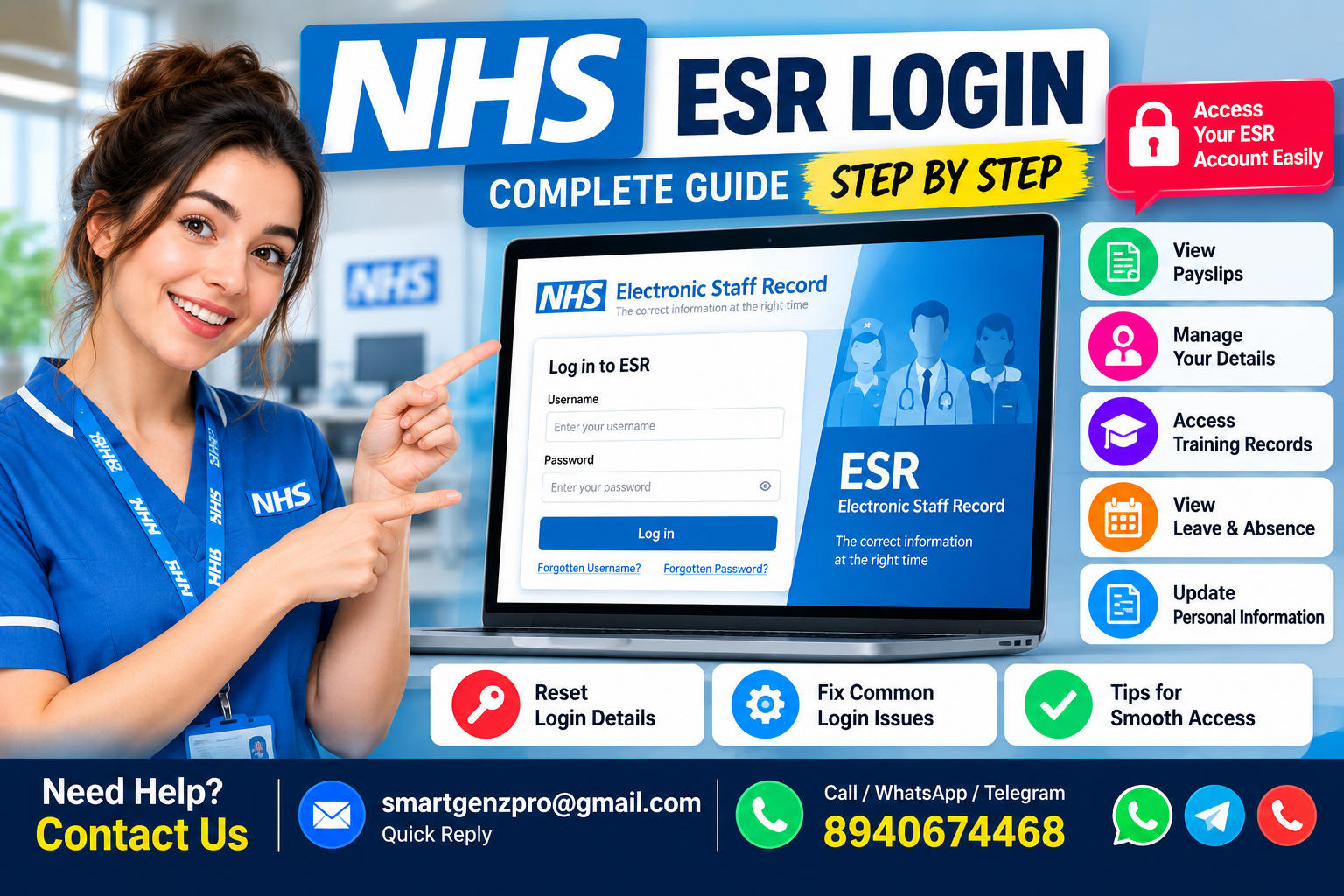
If you’re an NHS employee trying to check a payslip, book e-learning, or update your bank details, the login screen is usually the easy part until it isn’t. Locked accounts, expired smartcard certificates, and “which URL do I even use” questions send thousands of NHS staff to Google every month. Here’s the whole picture in one place.
Table of Contents
What Is ESR?
The Electronic Staff Record (ESR) is the combined HR and payroll system used across almost every NHS Trust and Health Board in England and Wales. It’s commissioned by the Department of Health and Social Care, built on an Oracle e-Business platform, and it currently handles payroll for over 1.9 million NHS employees, making it one of the largest workforce systems of its kind in the world.
For an individual employee, ESR is the place you go to:
- View and download payslips and P60s
- Check your Total Reward Statement (pay, pension, and benefits in one view)
- Update personal details address, phone number, emergency contacts, bank details
- Book and complete e-learning and mandatory training
- Request flexible working or record absence
- Manage your annual leave
How to Log In to ESR
There are two official routes into ESR, and which one applies to you depends on how your Trust has set up your account.
Option 1: Smartcard Login (on an NHS Trust computer)
If you already hold an NHS Care Identity (Smartcard):
- Go to my.esr.nhs.uk this takes you to the ESR Hub.
- Click Login to ESR in the top-right corner.
- Insert your smartcard when prompted and enter your smartcard passcode.
- You’ll land on the ESR Portal, with your Self Service dashboard as the default view.
Smartcard access is tied to NHS Care Identity Service (CIS2) authentication, so it only works on a device with the correct NHS Credential Management software installed — typically an NHS Trust workstation.
Option 2: Username and Password (from any device, including home)
If you don’t have a smartcard, or want access outside the Trust network:
- Visit my.esr.nhs.uk in your browser.
- Click Login to ESR, then select the Forgotten | Request Username/Password | Unlock Account link — this is also how first-time users generate their initial credentials.
- Enter your NHS.net email address and date of birth (leave the username field blank the first time).
- ESR emails you a username and a link to set your password.
- Return to the login page and sign in with Username/Password.
You’ll need an active nhs.net email account for this route — if you don’t have one, your Trust’s IT service desk issues them, not ESR itself.
Forgotten Password or Locked Account
This is the single most common ESR support query, and it has a consistent fix across every Trust:
- From the ESR login page, select Forgotten | Request Username/Password | Unlock Account.
- Enter your registered email and date of birth.
- Check your inbox (including junk/spam) for a system-generated reset email.
- Follow the link to set a new password — it can’t reuse any of your last five passwords, and needs a minimum of 8 characters mixing letters, numbers, and case.
A couple of things trip people up here:
- Accounts lock after three failed login attempts. You can wait five days for the auto-unlock or contact your HR Shared Services (HRSS) query team to unlock it sooner.
- Old reset emails don’t work. If you’ve requested a reset more than once, only the most recent email is valid — start the process again rather than clicking an older link.
- If self-service reset genuinely isn’t working, your Trust’s HR Shared Services (HRSS) query team — not the general IT helpdesk handles ESR account unlocks.
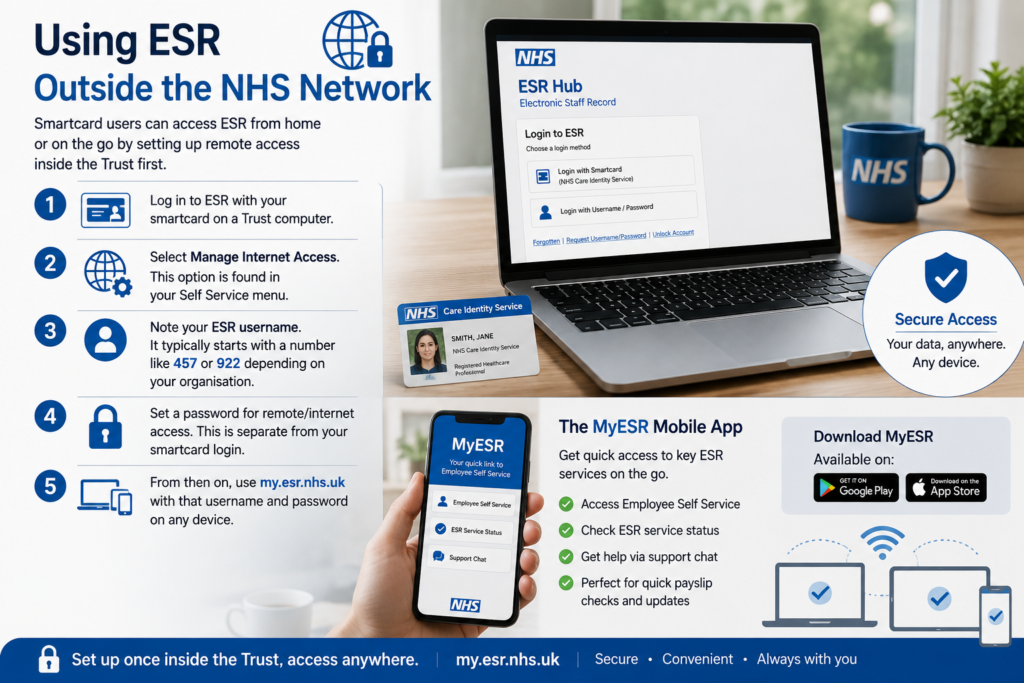
Using ESR Outside the NHS Network
Smartcard users who want to check payslips from a personal phone or home laptop need to register for remote access first, from inside the Trust:
- Log in to ESR with your smartcard on a Trust computer.
- Select Manage Internet Access.
- Note the ESR username shown (it typically starts with a number like 457 or 922 depending on your organisation).
- Set a password for remote/internet access — this is separate from your smartcard login.
- From then on, use my.esr.nhs.uk with that username and password on any device.
The MyESR Mobile App
ESR also has an official companion app (MyESR) on the Google Play Store and Apple App Store. It doesn’t replace full Self Service, but gives quick links to your Employee Self Service account, ESR service status, and the ESR support chat — useful if you just want a fast payslip check rather than the full desktop portal.
Common ESR Login Errors and What They Mean
| Issue | Likely Cause | What to Do |
|---|---|---|
| “Account locked” | 3+ failed login attempts | Wait 5 days or contact HRSS |
| No reset email arriving | Wrong or outdated email on file, or check spam | Confirm your nhs.net address with IT; check junk folder |
| Smartcard not recognised | NHS Credential Management not installed, or expired card | Run the NHS setup checker tool; contact local IT for admin install |
| Two different ESR logins | You hold two roles (e.g., substantive contract + NHS Professionals bank staff) | Each role has its own ESR account — they don’t sync automatically |
| “CIS2 Authentication” prompt | ESR’s move to Care Identity Service 2 | Install NHS Credential Management via your Trust’s IT team |
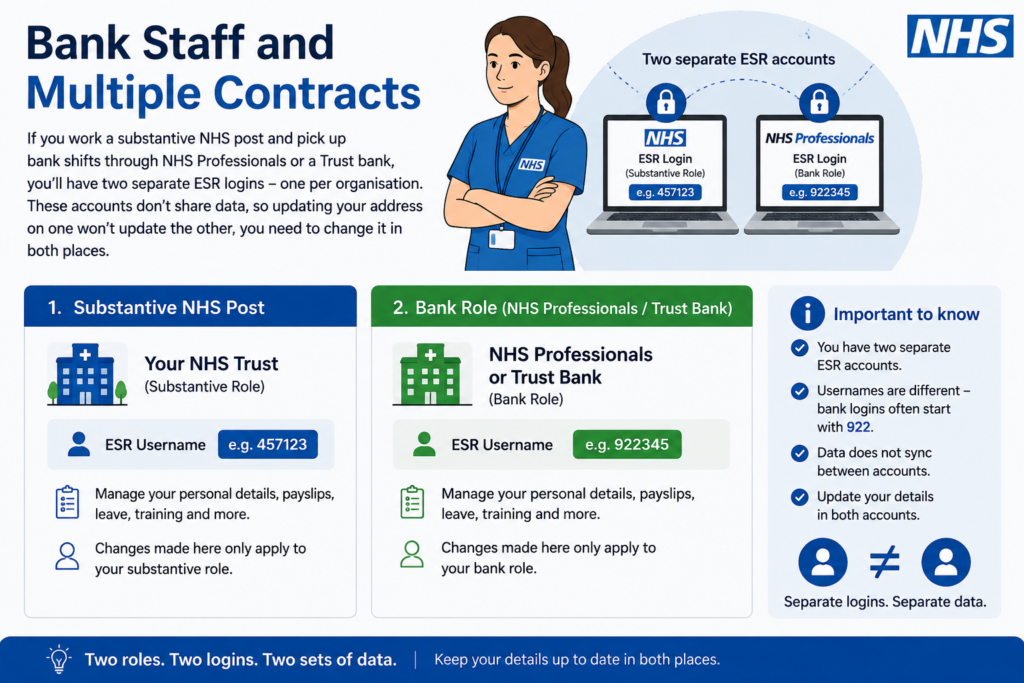
Bank Staff and Multiple Contracts
If you work a substantive NHS post and pick up bank shifts through NHS Professionals or a Trust bank, you’ll have two separate ESR logins one per organisation. NHS Professionals bank logins typically start with 922. These accounts don’t share data, so updating your address on one won’t update the other; you need to change it in both places.
Frequently Asked Questions
What is the correct ESR login website? The official entry point is my.esr.nhs.uk, known as the ESR Hub. From there, click “Login to ESR” to reach the actual sign-in page, where you choose smartcard or username/password access.
Do I need an NHS.net email to use ESR? Yes, for username/password access. Your NHS.net address is how ESR verifies your identity and sends password reset links, so if you don’t have one, your Trust’s IT team needs to issue it first.
Why is my ESR account locked? Accounts lock automatically after three consecutive incorrect login attempts, as a security measure. You can wait five days for it to unlock itself or ask your Trust’s HR Shared Services team to unlock it manually.
Can I access ESR payslips from home? Yes. Username/password access works from any internet-connected device. Smartcard users need to register for remote access first via “Manage Internet Access” while logged in on a Trust computer.
Is ESR the same for every NHS Trust? The underlying system is the same national platform for all NHS Trusts and Health Boards in England and Wales, though some Trusts customise local intranet guidance, contact details, and support routes on top of it.
What do I do if I’ve left my NHS job but need an old payslip? Contact your former Trust’s HR Shared Services or payroll team directly — ESR access is typically deactivated once your NHS.net account closes, so you can’t self-serve after leaving.
Is there a difference between ESR and Employee Self Service (ESS)? ESR is the overall system; Employee Self Service (ESS) is the specific employee-facing module inside it, covering payslips, personal details, leave, and learning. Managers and administrators use separate ESR modules with broader access.
Where to Get Official Help
For anything beyond the steps above, go directly to the source rather than a forum or third-party guide:
- NHSBSA – Electronic Staff Record (ESR) Workforce Services — the national overview and links to the ESR Hub
- ESR Hub – NHS Electronic Staff Record — the official login and self-service portal
- NHS England Digital – ESR authentication issues — for smartcard/CIS2 troubleshooting
- NHS Learning Hub – ESR catalogue — training resources linked to ESR
A note on sourcing: every process described above (login routes, password reset steps, lockout rules, remote access setup) is drawn from official NHSBSA and NHS Trust self-service guides, cited above. Individual Trusts can vary slightly in local contact details always confirm your Trust’s specific HR Shared Services contact if a step here doesn’t match what you see on screen.
